How to Send Automated Appointment Reminders by Email, SMS, and WhatsApp

How to Send Automated Appointment Reminders by Email, SMS, and WhatsApp A client books an appointment two weeks out. Life happens. By the time the appointment day arrives, they have forgotten entirely. They do not show up. You lose the revenue, the time slot goes empty, and your staff sits idle....

How to Send Automated Appointment Reminders by Email, SMS, and WhatsApp

How to Send Automated Appointment Reminders by Email, SMS, and WhatsApp

A client books an appointment two weeks out. Life happens. By the time the appointment day arrives, they have forgotten entirely. They do not show up. You lose the revenue, the time slot goes empty, and your staff sits idle.

This scenario plays out millions of times every day across service businesses worldwide. And the fix is remarkably simple: automated appointment reminders.

SMS reminders alone reduce no-show rates by 29% to 39%, according to research across healthcare, beauty, and professional services. Multi-channel reminders that combine email, SMS, and WhatsApp perform even better because they reach clients wherever they are most likely to see the message.

This guide explains how to build a reminder sequence that runs automatically, which channels to use and when, how to write messages that clients actually read, and how to set everything up without adding manual work to your team's day.

Why Automated Reminders Work Better Than Manual Ones

Many small businesses still rely on staff to call or text clients the day before their appointment. This approach has three problems.

First, it takes time. A receptionist calling 20 clients to confirm tomorrow's appointments can spend over an hour on the phone, assuming everyone picks up. Most will not.

Second, it is inconsistent. On busy days, reminder calls get skipped. On vacation days, they do not happen at all. One missed day of reminders can mean a spike in no-shows the next day.

Third, it only covers one touchpoint. A single phone call the day before is one chance to reach the client. If they miss it, there is no backup.

Automated reminders solve all three problems. They fire on schedule every time, they cost zero staff time after initial setup, and they can reach clients through multiple channels at multiple intervals. A client who misses the email might see the SMS. Someone who ignores the 48-hour reminder will get another one at 24 hours.

The consistency is what makes automation so effective. No-show reduction is not about any single reminder. It is about a reliable system that never forgets.

The Optimal Reminder Sequence

Not all reminder timing is equally effective. Research and real-world data from booking platforms point to a schedule that balances early notice with last-minute reinforcement.

One important caveat before you build your sequence: most booking systems, including SimplyBook.me, do not let you assign a different channel to a different touchpoint. Instead, you choose which channels are active (email, SMS, WhatsApp) and how many reminder times to schedule (for example, 48 hours and 24 hours before), and every active channel fires together at each of those times, using the same message text each time it goes out. So the "sequence" below is really a timing plan, not a channel-by-channel schedule.

Booking confirmation (immediate). The moment a client completes a booking, send a confirmation by email. This is not technically a reminder but it sets the foundation. It tells the client the booking went through, gives them all the details in one place, and includes a link to cancel or reschedule if needed. Clients who receive an instant confirmation are more likely to treat the appointment as a firm commitment.

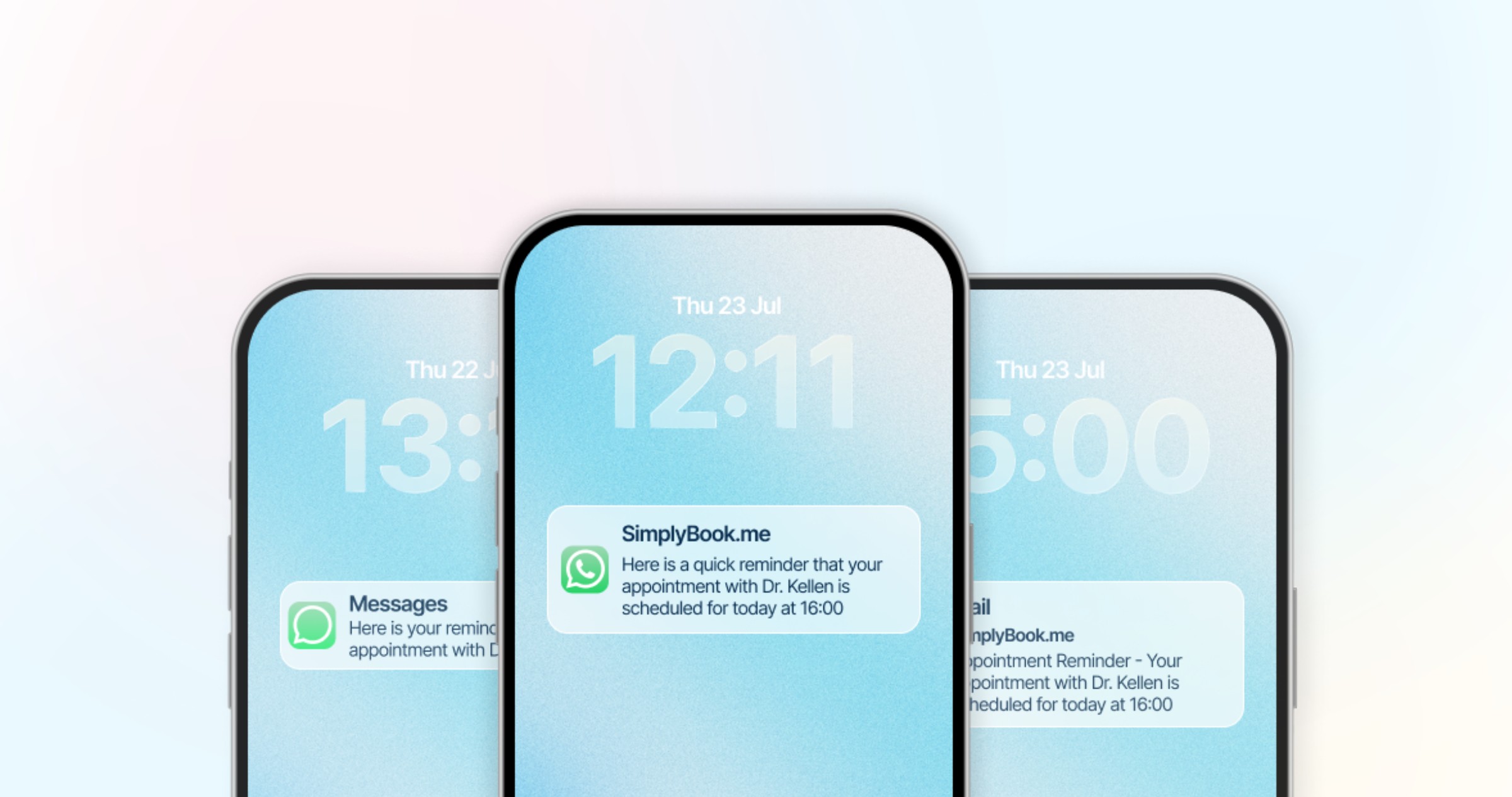
First reminder: 48 hours before. Two days before the appointment, send a reminder on whichever channels you have enabled. A 48-hour window gives the client enough time to reschedule if something has come up, and gives you time to fill the slot if they cancel. Make sure the message includes the full appointment details and a prominent reschedule/cancel link.

Second reminder: 24 hours before. This is the most critical touchpoint. Text messages have a 98% open rate and are typically read within minutes of delivery, so if SMS or WhatsApp is one of your active channels, this is where it earns its keep. At the 24-hour mark, the appointment is close enough that it is top of mind, but there is still time for a cancellation to be useful to your business.

Optional final reminder: 2 to 3 hours before. For same-day reinforcement, a reminder a few hours before the appointment catches anyone who saw the earlier touchpoints but forgot to act. This final nudge is especially valuable for morning appointments booked days or weeks in advance.

Because the same message fires at every touchpoint, write your reminder text so it reads naturally whether it lands 48 hours out or 2 hours out.

Choosing the Right Channel: Email vs SMS vs WhatsApp

Each channel has different strengths. The best reminder strategy uses a combination rather than relying on any single channel.

Email is ideal for detailed messages and is free to send in most booking systems. Its default template is usually plain text with basic formatting; adding your own design, fonts, or images typically requires a custom/branded email feature rather than being available on the default template. The downside is open rates: business emails average around 20% to 25% open rates, and many appointment reminder emails land in promotions or spam folders.

SMS is the highest-impact reminder channel. The 98% open rate is not a marketing claim but a consistently measured reality. SMS messages are short, immediate, and hard to ignore. The downside is cost, and that cost is genuinely hard to pin down in advance: pricing depends on the destination country and carrier, and the number of credits a single message consumes can vary quite a bit (sometimes far more than you'd expect for what looks like a short text). Send yourself a test reminder and check your credit usage report before budgeting, rather than assuming a flat per-message rate.

WhatsApp combines the immediacy of SMS with richer formatting than SMS allows, and clients in markets where WhatsApp is the primary communication tool (much of Europe, Latin America, Asia, and Africa) tend to engage with it well. Note that WhatsApp notifications typically use a fixed default template that you cannot redesign the way you can with email or SMS, and if clients can interact with the message (for example, tapping a button to cancel), each interaction may consume additional credits on top of the message itself.

Because your booking platform likely sends every active channel together at the same scheduled times rather than letting you assign a specific channel to a specific touchpoint, think of the channel decision as "which channels do I turn on" rather than "which channel goes at which hour." If you can only budget for one paid channel, SMS's open rate and response speed make it the highest-impact choice.

How to Write Reminder Messages That Get Read

The content of your reminder matters almost as much as the timing. A well-written reminder reduces no-shows. A poorly written one gets ignored.

Always include these elements:

  • Client's first name (personalization increases engagement significantly)
  • Service name (not just "your appointment" but "your deep tissue massage")
  • Provider name if applicable ("with James" or "with Dr. Patel")
  • Date and time in a clear format ("Thursday, May 8 at 2:00 PM")
  • Location or virtual meeting link
  • A link to cancel or reschedule

Keep SMS messages under 160 characters when possible. Longer messages get split into multiple texts on some carriers, which looks unprofessional and can confuse clients. Here is an example that fits:

"Hi Sarah, reminder: Deep tissue massage with James, Thu May 8 at 2pm. Need to change? [reschedule link]"

Email reminders can be longer but should still be scannable. Use a clear subject line like "Your appointment is tomorrow" or "Reminder: [Service] on [Date]." Put the key details (what, when, where, who) in the first two lines. Include the cancel/reschedule link prominently, not buried at the bottom.

WhatsApp is different: you generally cannot edit its wording. Unlike email and SMS, where you control the template text, WhatsApp notifications on most booking platforms use a fixed default message that is not customizable in the account. Keep this in mind when planning your messaging: your personalization and tone control apply to email and SMS, not WhatsApp.

What to avoid:

  • Generic messages without personalization ("You have an upcoming appointment")
  • Messages without a reschedule/cancel option (this forces no-shows from clients who would have canceled)
  • Marketing content in reminder messages (promotions in reminders feel pushy and train clients to ignore them)
  • Too many touchpoints (three to four total reminders is plenty; scheduling reminders every few hours feels aggressive)

Setting Up Automated Reminders: Step by Step

The technical setup varies by booking software, but the general process is consistent across platforms.

Step 1: Access your reminder settings. In your booking software, find the notifications section. In SimplyBook.me, this is under Settings, then SMS and Emails settings.

Step 2: Enable each channel. Turn on the channels you want to use: email, SMS, WhatsApp. Each channel can be switched on or off independently, but keep in mind that all the channels you enable will send at the same scheduled times — you cannot assign email to one time and SMS to another.

Step 3: Set the timing for your reminders. Choose how many touchpoints you want and how far in advance each one fires (for example, 48 hours and 24 hours before the appointment). This timing applies across every channel you have enabled, and the same message text goes out each time a reminder fires — there is no separate template per touchpoint.

Step 4: Customize the message templates. Replace the default text with personalized messages for email and SMS. Use only the platform's existing variables to insert the client's name, service, provider, date, and time automatically — do not invent your own placeholder syntax. On SimplyBook.me, variables are written in square brackets, for example [client_name], [service], [date_start], and [time_start]. WhatsApp notifications use a fixed default template that is not editable.

Step 5: Add the reschedule/cancel link. Most booking platforms automatically include this in reminder templates. Verify that it is present and working. This link is essential because it converts potential no-shows into cancellations that give you time to fill the slot.

Step 6: Send yourself a test. Book a test appointment and verify that each reminder fires correctly, arrives in the right channel, displays the right content, and the links work. Check on both desktop and mobile.

Step 7: Monitor and adjust. After the first month, review your no-show rate. If it has not improved, check your SMS report to confirm reminders are actually being sent (most platforms report sent vs. not-sent and credits consumed, rather than full carrier delivery confirmation) — some phone numbers may be landlines or invalid, which shows up as messages that were not sent. Consider adding the day-of reminder if you are only using 48-hour and 24-hour touchpoints.

Reminder Templates You Can Use Today

Here are ready-to-use templates using SimplyBook.me's actual notification variables (square-bracket placeholders). Remember that on most platforms, one template per channel is reused for every reminder you schedule — you cannot write a different message for the 48-hour touchpoint versus the 24-hour touchpoint.

Email: Booking Confirmation

Subject: Your [service] is confirmed for [date_start]

Hi [client_first_name],

Your appointment is confirmed. Here are the details:

Service: [service] Date: [date_start] Time: [time_start] [time_end] With: [provider] Location: [location] [location_address]

Need to make changes? You can reschedule or cancel here: [cancel_link] [reschedule_link]

We look forward to seeing you.

[company]

(If your account does not use the Locations feature, the location variables simply will not be replaced with anything.)

Email: Reminder (used for every reminder you schedule, at whatever times you set)

Subject: Reminder: your [service] is coming up

Hi [client_first_name],

This is a reminder that your [service] with [provider] is coming up.

Date: [date_start] Time: [time_start] [time_end] Location: [location] [location_address]

Need to make changes? You can reschedule or cancel here: [cancel_link] [reschedule_link]

See you soon.

[company]

SMS: Reminder (used for every reminder you schedule, at whatever times you set)

Hi [client_first_name], reminder: [service] with [provider] on [date_start] at [time_start]. Need to change? [cancel_link]

WhatsApp

WhatsApp notifications use SimplyBook.me's fixed default template rather than a design you write yourself, so there is no custom template to paste in here.

Advanced Reminder Strategies

Once the basic sequence is running, these additional tactics can further reduce no-shows and improve the client experience.

Service-specific reminders. Some services require client preparation: no caffeine before a blood test, arrive 15 minutes early for paperwork, wear loose clothing for a massage. Include service-specific instructions in the confirmation or 48-hour reminder so clients arrive prepared.

Post-appointment follow-ups. While not technically a reminder, a follow-up message after the appointment (a thank-you, a feedback request, or a rebooking prompt) closes the loop and builds loyalty. Clients who receive a follow-up are more likely to book again and less likely to no-show on future visits.

Seasonal volume adjustments. During high-demand periods (holiday season, back-to-school, January wellness rush), consider adding an extra reminder touchpoint or tightening your cancellation window. No-show rates often increase during busy periods because clients are juggling more commitments.

Measuring Reminder Effectiveness

Setting up reminders is not enough. You need to measure whether they are working and optimize over time.

Track your no-show rate monthly. Calculate: (Number of No-Shows / Total Booked Appointments) x 100. Compare your rate before and after implementing automated reminders. A well-configured reminder sequence should reduce your no-show rate by 20% to 40% within the first month.

Check your SMS sending report. If your SMS messages are not going through (due to invalid phone numbers, carrier filtering, or regional restrictions), your reminders are not reaching clients. Most booking platforms, including SimplyBook.me, report whether a message was sent and how many credits it consumed, rather than confirming actual carrier delivery. A message that was not sent (0 credits used) usually points to an invalid or unsupported number, so review and clean your client phone number data if you see a lot of these.

Email open-rate tracking is usually not available by default. Standard booking-notification emails typically are not tracked for opens unless you route them through your own SMTP/email provider externally. If open rates matter to you, that is the setup to look into rather than expecting a built-in report.

Compare no-show rates across channels. If possible, compare no-show rates for clients who received only email reminders versus those who received both email and SMS. The difference will confirm the value of the SMS channel and justify the cost, even if you cannot predict that cost precisely in advance.

Understand what opting out actually affects. Clients can typically unsubscribe from promotional messages (campaigns, gift card offers, review requests), but this does not usually stop transactional, booking-related messages like confirmations, reminders, and cancellation notices — those keep going out regardless of opt-out status. Do not assume an unsubscribe will quiet a chatty client's reminders. If clients are complaining about too many messages, the fix is to reduce your reminder frequency, not to rely on opt-outs. The optimal number for most businesses is three to four touchpoints spread across the booking-to-appointment timeline.

Frequently Asked Questions

How many appointment reminders should I send?

Three to four reminders is the optimal range for most service businesses: an immediate booking confirmation, a 48-hour reminder, a 24-hour reminder, and an optional day-of reminder for same-day reinforcement. Most platforms send all your active channels together at each of these times rather than letting you assign a specific channel to a specific touchpoint. More than four reminders per appointment risks annoying clients.

What is the best time to send appointment reminders?

The most effective timing is 48 hours before, 24 hours before, and optionally 2 to 3 hours before the appointment, with whichever channels you have enabled (email, SMS, WhatsApp) firing together at each touchpoint. The 24-hour reminder is generally the single highest-impact touchpoint because it combines urgency with enough time for the client to act — which is where having SMS or WhatsApp active pays off, given their much higher open rates than email.

Do SMS reminders really reduce no-shows?

Yes. Research across healthcare, beauty, and professional services consistently shows that SMS reminders reduce no-show rates by 29% to 39%. The 98% open rate of SMS messages makes them far more reliable than email alone, which averages 20% to 25% open rates.

How much do SMS appointment reminders cost?

SMS costs vary by country and provider, and the number of credits a single message consumes is not fixed or easy to predict in advance — it depends on the destination and can be higher than you'd expect. Rather than budgeting from a flat per-message rate, send a test reminder and check your credit usage report to see the real cost for your client base. Even at the higher end, SMS spend is typically negligible compared to the revenue recovered from even one or two prevented no-shows per month.

Should I use WhatsApp or SMS for appointment reminders?

It depends on your clients and region. In markets where WhatsApp is the dominant messaging platform (most of Europe, Latin America, Asia, Africa), WhatsApp reminders can outperform SMS. In North America, SMS is generally more reliable. If you are unsure, start with SMS and add WhatsApp if your client base prefers it.

Can I include marketing content in appointment reminders?

It is not recommended. Mixing promotions with appointment reminders trains clients to ignore your messages. Keep reminders focused on the appointment details and save marketing for separate communications. Clients are more likely to read and act on reminders that are purely informational.

How do I handle clients who opt out of reminders?

Respect their preference where it applies. Legally (under GDPR, TCPA, and similar regulations), clients must be able to opt out of marketing messages, and most booking platforms support this for promotional campaigns. On many platforms, though, transactional booking messages (confirmations, reminders, changes, and cancellations) are treated separately and continue to be sent even after a client unsubscribes from marketing, since they relate to a service the client already booked rather than to promotional outreach. Check how your specific platform draws that line before promising clients they can opt out of reminders specifically — on SimplyBook.me, for example, there is no setting to silence reminders for one individual client while keeping them on for everyone else.

What should I do if SMS reminders are not being delivered?

Check the phone numbers in your client database for formatting errors (missing country codes, landline numbers instead of mobile). Verify that your booking platform's SMS provider supports delivery to your clients' regions. Review carrier filtering rules, as some carriers block messages from certain short codes. Keep in mind that most booking platforms report whether a message was sent (and how many credits it used) rather than confirming actual carrier delivery, so a "sent" status is not a guarantee the client received it — a message that was not sent, though, is a reliable sign something is wrong with that number.

Unlock exclusive content

Get booking tips, product updates, and inspiring stories to help you grow your service business — straight to your inbox