透過 Google 預訂 管理線上預約排程

不需填寫任何信用卡資訊
查看影片

為什麼要透過 Google 預訂接受&管理預約排程?
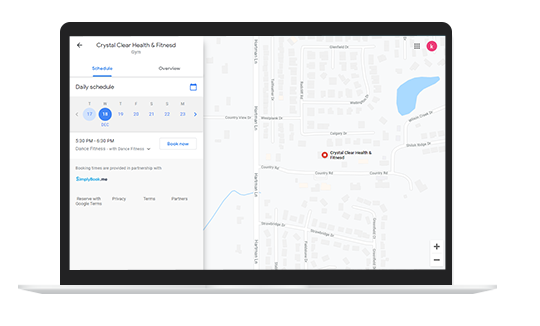
Google 預訂範例
  • 有效提昇搜尋曝光結果,觸及潛在客戶
  • 當用戶透過 Google 搜尋後,能直接完成預約,降低轉換成本
  • 在 Google 搜尋、Google 地圖&Google 助手都能完成線上預約排程
  • 有效優化搜尋結果(SEO),提昇 Google 搜尋排名
  • Google 將收錄您的服務內容,而客人可以直接透過 Google 完成預約
與時俱進!跟著
數位化經營趨勢前進!

數位化經營趨勢
  • Google 將在客人搜尋時,推薦 附近服務地點
  • 客戶在 Google 地圖以 「附近」 來搜尋的次數持續增長
  • 在搜尋區域中,Google 將會彙整完整的服務列表
  • 請確保您的服務項目在該列表中排名顯示第一
  • 讓消費者輕鬆找到您的 Google 商家,並且直接完成預約

Create your Google my Business listing and add a "Book now" button to it, all via SimplyBook.me. Watch the video here on how it's done.

取得免費帳戶

立即註冊 SimplyBook.me 線上預約系統,持續在業界保持領先!

如何透過 SimplyBook.me 整合 Google 服務?

  • 登入管理這後台,免費啟用 Google 我的商家客製功能
  • 驗證您的商家資訊
  • 填寫您的個人資料、營業地點、營業時間、聯絡電話、商家分類&希望在 Google 中顯示的線上預約網頁連結。
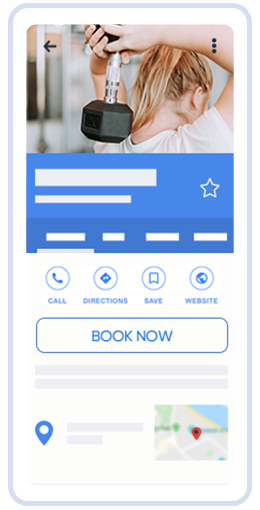
  • 與 Google 預訂同步,系統將會自動在 Google 新增「立即預訂」按鈕
  • 一圖勝千言,上傳相關照片,讓您的店家脫穎而出!
  • 引導客戶在 Google 我的商家填寫客戶好評

It´s as simple as that. For step-by-step tutorials check out our Google Business video tutorial or our Help center.

查看影片

所有的 SimplyBook.me 用戶都能使用 Google 預訂
嗎?

Google 預訂 官方暫位全面開放,目前根據不同的國家地區&產業類型有不同的使用限制:

  • 美國、英國、加拿大、澳洲、法國&德國
  • All service businesses except medical center, educational institution, government office, engineer, medical clinic, dentist, medical office, education center, event management company, city administration, embassy, general practice attorney, child care agency, university, college, school, library, financial institution.
  • 無法額外加入 必填欄位
  • 若某項服務項目與週行性服務或會員資格有關,則該服務將不會顯示於 Google 預訂列表中。
  • 需請用接受付款客製功能,且需接受延遲付款需選項,您想要在 Google 地圖顯示的定價,需輸入於服務項目或課程中。
  • 若您使用的舊版的 Google 行事曆同步客製功能,則無法透過 Google 預訂接受預約